
Email Subscription
You can grow an email list right from your page. A visitor taps a button, a small email pop-up appears, and their address is saved to your subscribers. This guide shows how to set it up and how to design a nudge that gets people to click.
Set up the subscribe trigger
A Button, an Icon Button, or a Container can trigger the sign-up. Use a Container when you want a whole card, not just a button, to be tappable.
Select the trigger
Add a Button or Icon Button and select it. To make an entire card the trigger instead, select a Container.
Enable the click event
In the Fields panel, open Click Event and turn on Enable Click Event.
Set the type to Subscription
Change Type to Subscription. That is all the wiring you need.
When a visitor taps the button on your live page, a built-in email pop-up appears and collects their address.
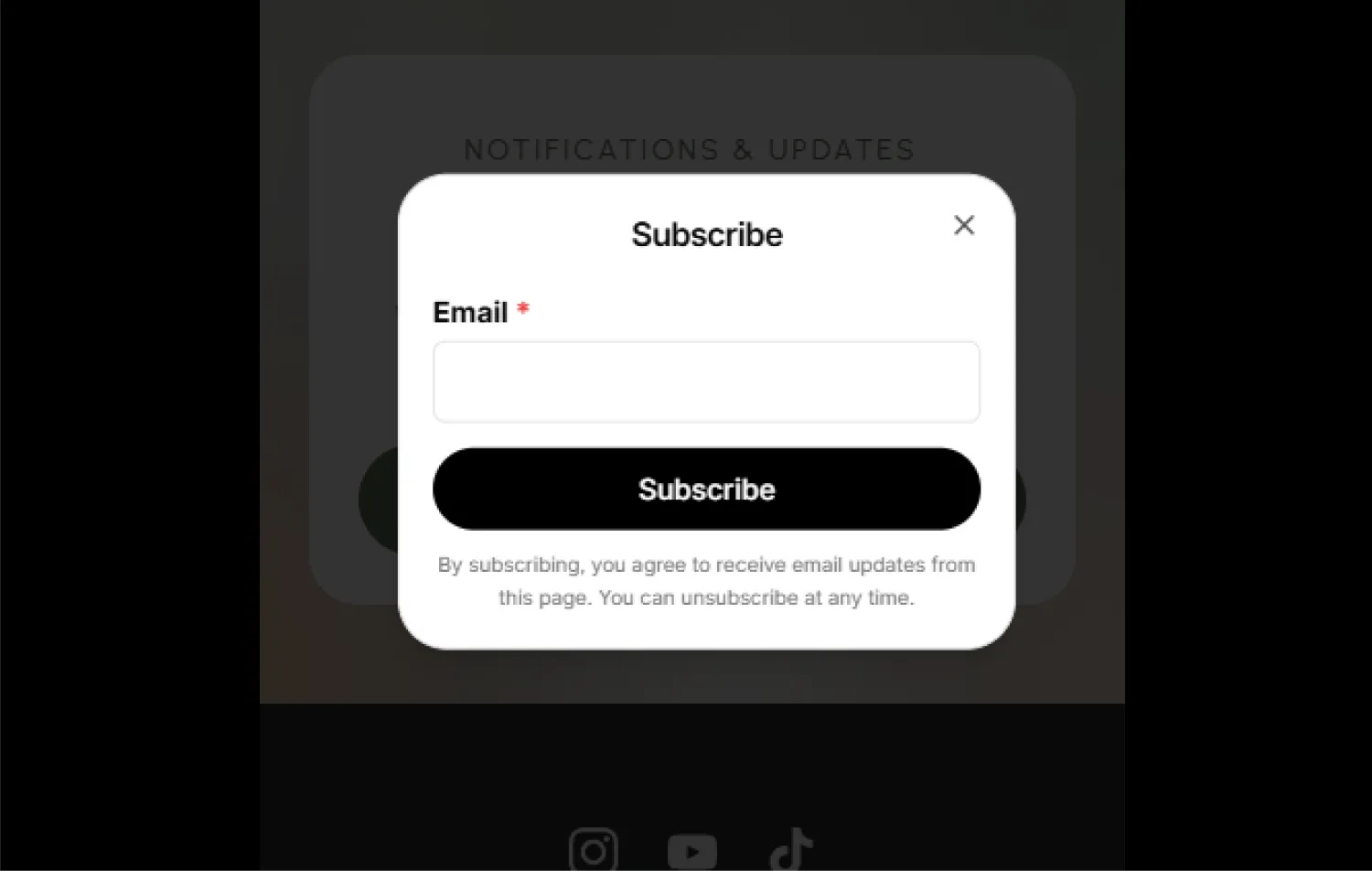
The email pop-up has a standard, built-in layout (a title, an email box, and a Subscribe button). You do not design the pop-up. What you design is the on-page nudge that leads people to it (next section).
Design your nudge
A "nudge" is the section on your page that invites people to subscribe. This is where your design does the work: a clear heading, a reason to sign up, and the subscribe button.
A good nudge is usually a Container holding a couple of Text blocks and the subscribe Button. Because it is just normal blocks, you can style it however you like: give the Container a background, center the content, add an entrance animation, and so on. You can even skip the inner button and put the Subscription click event on the Container itself, so the whole card is tappable.
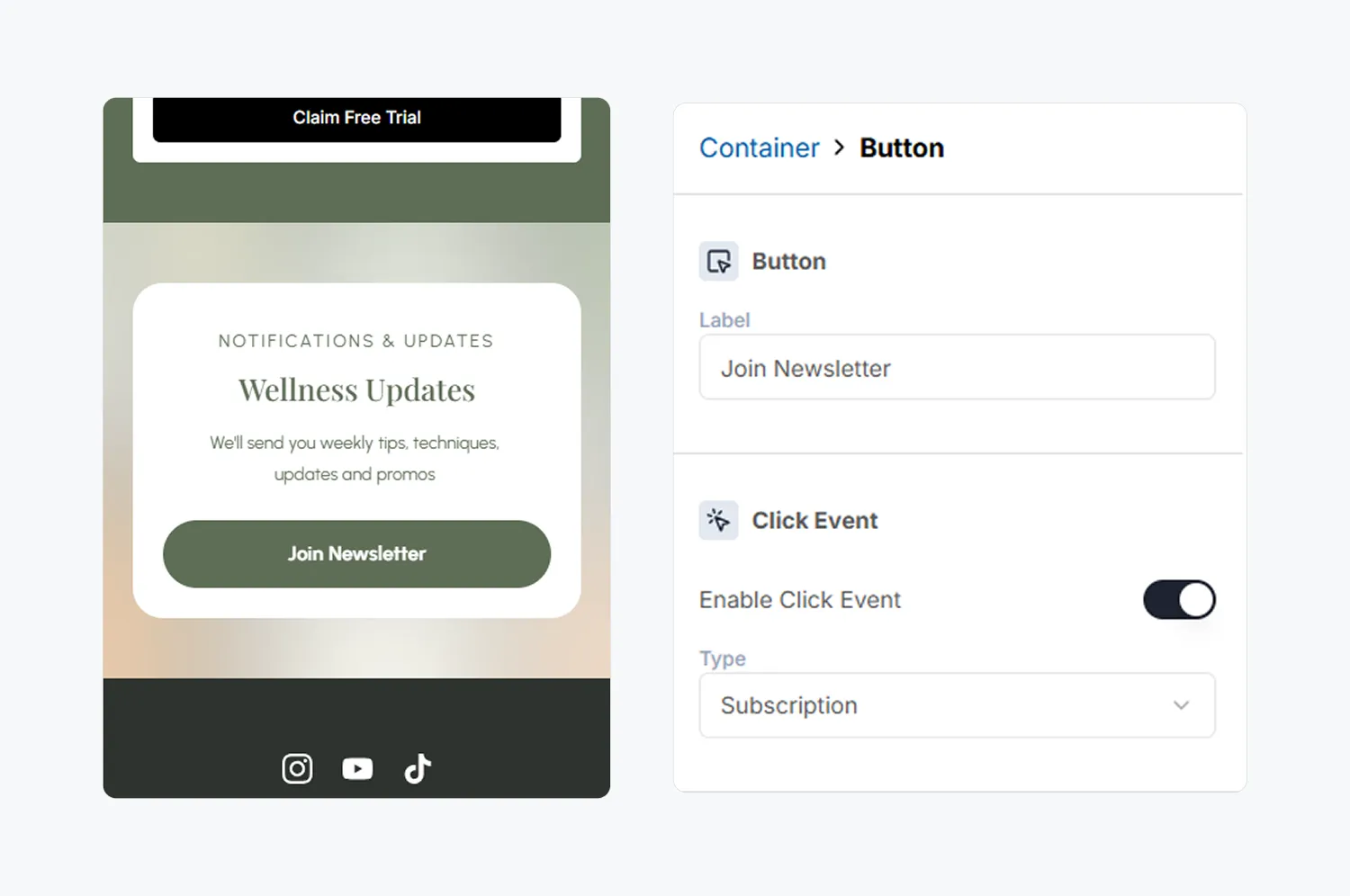
Keep the ask simple and specific. "Get new drops before anyone else" beats "Subscribe to our newsletter".
Where subscribers go
Collected emails land in the Subscribers area of your page's dashboard, where you can see your list and send a broadcast email. Viewing the subscriber list is a Pro feature (the count is always visible).
The subscribe pop-up only works on your published page, not in the editor. Publish first, then try subscribing with a test email.